Fast Shipping. Reliable Service. Every Time.

Get your machines and supplies delivered quickly because deadlines shouldn’t wait.

Frequently Asked Questions

Choose card stock covers when you want a printable, paper-based finish with a clean professional look. They work well for reports, proposals, manuals, booklets, presentations, and internal documents where the cover should match printed branding or department colors. Card stock is usually easier to print or customize than plastic, but it is not as moisture-resistant or tear-resistant as poly. Choose poly and plastic binding covers when the document will be handled often, carried around, or exposed to more wear. Card stock is a better fit when appearance, printability, color matching, and a traditional paper feel matter more than heavy-duty protection.

For most office and presentation work, start with the cover thickness shown on the item rather than choosing by color alone. Card stock covers are often sold in cover weights, and the weight affects feel, stiffness, punch performance, and how the finished document opens. A heavier cover feels more substantial, but it can be harder to punch cleanly on light-duty binding equipment. If your binding machine already struggles with thicker sheets, punch covers separately from the document pages. For common letter-size reports, card stock covers by size can help narrow the choice by sheet size before you compare color, finish, punch style, and window options.

Card stock covers can work with several binding styles, but the right choice depends on punch pattern, cover size, and the binding method. For comb, coil, and wire jobs, choose unpunched covers if you plan to punch them in-house, or choose a pre-punched option that matches your machine pattern. A cover punched for one pattern will not line up correctly with another binding style. Thermal binding does not need punched holes, so the cover choice depends more on finished size, spine style, and presentation needs. When using thicker cover stock, punch smaller stacks and test one cover before running a full job.

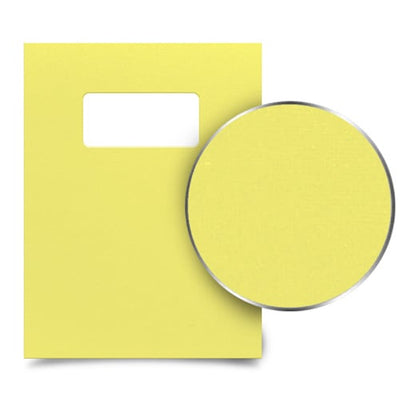
Use card stock covers with windows when the first printed sheet needs to show through as the title area. They are useful for proposals, reports, bid packets, manuals, and recurring document sets where you want the title, client name, logo, or project name visible without printing a separate cover. Before ordering, confirm the window position against your document layout. A small shift in title placement can leave text hidden or off-center. Window covers work best when your team uses a repeatable title template, because every document can keep the same cover style while the visible title sheet changes.

Buy pre-punched covers when your binding style is already fixed and the punch pattern matches your machine. They save time on repeat jobs and reduce punching mistakes, especially when teams bind the same document format often. Choose unpunched covers when you use more than one binding style, need custom hole placement, or are not sure which machine will be used. Unpunched covers also give you more flexibility for thermal binding, report covers, custom punching, or future equipment changes. If your machine has a low punching capacity, thicker covers should be punched separately from the paper stack to protect the machine and improve hole quality.

Featured Blogs

View all
Binding101 2018 Best Sellers

Binding101 2018 Best Sellers

Here is a list of our top-selling equipment for 2018, across all product categories, by volume of...

Read More
DIY Booklets: How to Make Event Programs, Catalogs, & Magazines

DIY Booklets: How to Make Event Programs, Catalogs, & Magazines

From handmade zines to polished product catalogs, folded and bound booklets are a classic way to share...

Read More
How to Make Custom Calendars: A Step-by-Step Guide

How to Make Custom Calendars: A Step-by-Step Guide

Custom calendars aren’t just great for organization — they’re also an excellent product line for small businesses,...

Read More