


















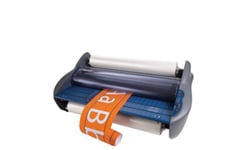
Phoenix 4400-DHP 44" Wide Format Hot and Cold Roll Laminator
FAQ: 1 Questions, 1 Answers
1 Q&As



Item# 4400-DHP
- 44" wide format laminator
- Compatible with film up to 10mil thick (2.25 or 3" core) & boards up to 1/4" thick
- Adjustable heat settings from 90°-302° F
- 0-96" per minute adjustable speed
ProductDescription
This Phoenix 4400-DHP 44" Wide Format Hot and Cold Roll Laminator offers a sleek design with full of useful features to complete both thermal and PSA (Pressure Sensitive Adhesives) applications. This laminator is built for long-term durability and reliable performance at an economical price. The Phoenix 4400-DHP accepts materials up to 44" wide, mounts substrates up to 1/4" thick, and accomodates 1.5 mil to 10 mil laminating films and PSA. With a speed of up to 8 feet/minute and equipped with large 4.5" heated rollers, this laminator meets high-volume production requirements while maintaining heat consistency for beautiful output. The Phoenix 4400-DHP is a perfect match for your digital wide format output for both PSA and thermal finishing, encapsulating or mounting in both applications. This Phoenix 4400-DHP 44" Wide Format Hot and Cold Roll Laminator is ideal in making placemats, trade show graphics, rigid displays, POP displays, flexible displays, window graphics, banners, and much more!
Product Details
- Production:
- 8 feer per minute.
- 4.5" heated silicone coated rollers.
- PSA liner rewind.
- Sleep mode and auto shut-off.
- Cooling fans ensure flat output.
- Versatile and Quality:
- Capacity 44" wide and 1/4" thick.
- Photo eye safety sensor.
- Independent heat controls.
- Variable Speed.
- All metal construction.
- Easy to use:
- Simple, easy to use digital control panel.
- Gap controller for a variety of thicknesses.
- Foot pedal for hands-free operation.
- J channel for easy loading on bottom roll.
Item Specifications
- Maximum Laminating Width: 44" wide
- Silicone Coated Heat Rollers: 4.5" diameter
- Independent Tension Controls: Yes
- PSA Liner Rewind: Yes
- Speed Control: Variable from 0-8 fpm
- Film Thickness: 1.5 to 10mil and PSA
- Foot Pedal: Yes
- Power Consumption: 3300 Watts
- Core Diameter: Accepts 3" and 2 1/4" cores
- Independent Heat Controls: Yes
- Protective Shield: Optical Safety Eye
- Pressure Adjustment: 5 Lever Contorls up to 1/4"
- Cooling Fans: Yes
- Stand: Included
- Auto Grip Supply Shafts: Yes
- Electrical: 220 VAC, 15 amps 615P NEMA Plug
- Compatible Supplies: 2.25" or 3" Core Roll Laminate - 1.5-10mil Thick & Up to 44" Wide
Mounting Board - Up to 1/4" Thick - Actual Machine Dimensions: 61" x 24" x 53"
- Actual Machine Weight: 401
- Shipping Length: 65
- Shipping Width: 28
- Shipping Height: 38
- Shipping (Web) Weight: 508
- Manufacturer's Warranty: 1 Year Labor/Parts - Rollers 90 days
Demonstration Video

Phoenix 4400-DHP Roll Laminator Overview

Phoenix 4400-DHP Roll Laminator - Controls and Features
Transcript :
I didn't turn the bottom heat on. That, and then you can control in this mode setting right now,I'm on top heat, so now I can raise and lower that. Same thing with the bottom heat. I can set it, top or bottom. And the one nice thing about this, the way this heat works is if I have the machine turned off, it will automatically default. and reverse and forward. The reverse only works with the foot pedal. So if you have it in reverse, it's not going to do anything until you push on the foot pedal. That's another safety feature in the machine. That way, if you have something loaded in there and yo ...
I didn't turn the bottom heat on. That, and then you can control in this mode setting right now,I'm on top heat, so now I can raise and lower that. Same thing with the bottom heat. I can set it, top or bottom. And the one nice thing about this, the way this heat works is if I have the machine turned off, it will automatically default. and reverse and forward. The reverse only works with the foot pedal. So if you have it in reverse, it's not going to do anything until you push on the foot pedal. That's another safety feature in the machine. That way, if you have something loaded in there and you're not thinking about it, if you push the reverse button, it's not you know, pull it in or anything like that. So that's another feature. On the side, you have the gap pressure settings. You have four mounting settings. I'm sorry, three mounting settings. And then you have two film settings. You have thick film and thin film. And the thick film is the 5 and 10 mil. The thin film is the 1 .5 and 3 mil settings.
Some different pressures underwold. as anything else. Yep. And the mounting is half inch, quarter, three, sixteenth, one eighth. And a, yeah, and a 16th. I have to put my eyeballs on this. Okay? I notice you've been running this without the top guard. Right. I'm comfortable It'll operate without it or do you work? It'll operate without this. And the reason why is because we have this photoi. Yeah. So if I have, I'm going to close the rollers. Especially if you're using tacky fill, it'll have more tendency to stick to that. Mm -hmm. So you can see that the machine is running right here. If I get my fingers close to those rollers, it's going to shut off. 1, 2, 3, 4, or 1 .5? They're just a hair. You know, they're right around the 1 foot mark. A little bit off. No, I'm talking about the readout. It's just going to be 1 .0, 2 .0. It doesn't go 1 .1 .5. No, no. No, just the straight number. Yeah. Do you have an actual temperature read? Yes. Once you start heating up your rollers, if you want to see what your actual temperature is, the Fahrenheit button right here, an error code will pop up on the display screen and it starts beeping at you saying, hey, we have a problem. And you look at it and it says E3. E3 means my top sensor is blocked. So I remove that. Turn the machine off. Turn it back on and it resets everything. We'll turn our heaters back on. Same thing with the bottom sensor. If that becomes blocked, it'll do the same thing. I think it's E6. We'll pop up on that display screen, and that way you'll know that your bottom sensor is blocked. And that's this little sensor right here. Yep, that's that sensor right there. And the other one is a little harder to see, but it's underneath that roller. You can only see it from the front.
Otherwise, when it drops off, you know, cool in that position, and everything that you've run will have a downward curl to it. So you want to get that stuff cool as quickly as possible. The fan back here, so you can hear now with those fans on, that's going to cool that film down. Yeah, there are eight cooling fans in there, if I recall correctly. If every one of those is a fan, If both rollers were driven, they'd come out flat. But it's just because that bottom roller is driven is what causes the curl in those boards. Now, a lot of people, especially in camera shops like Ritz Camera and people like that, they'll run film on both top and bottom. And that helps reduce that curl or even get rid of it. So if you put a film on there. The other thing that does is that also protects the back side of that board so that it won't absorb moisture just like the top side does and that gets rid of curl also. So if it curves down, what causes curving down? Generally... Well, it's just a normal thing for, I mean, there's a little... Well, you have the heat on here and it, so, you know, it's just... Yeah. Yeah. The phone board, you know, the patchwork. Yeah. 700s, if you go over a certain temperature, the light starts flashing really fast. And that tells you that you're higher than what your set temperature is. You're out of your spec. What would normally cause that is a blocked sensor. But we change the program to warn you now. If a sensor gets blocked, it tells you, I'm blocked. Clean out the blockage and then we'll start over.
Related Categories you might also like

More Videos
Phoenix 4400-DHP Roll Laminator - Mounting Boards and Roll to Roll
Phoenix 4400-DHP Roll Laminator - Pre-Coating Boards
Phoenix 4400-DHP Roll Laminator - PSA Applications
Questions & Answers
▶
Asked by John Gelzer
It may depend a bit on the thickness what you are laminating, but a temp of 230 F and a speed setting of 3 is a good starting point. If the material being laminated is thinner, the speed setting should be increased because it will require less dwell time. If it’s thicker, a speed setting of 2 may work better.
Answered by MyBinding.com