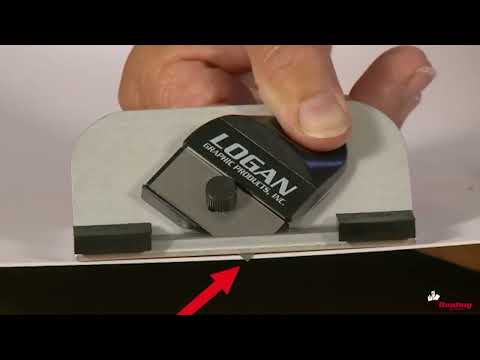
Achieve professional-quality results with precision cutting capabilities up to 24 inches.
Effortlessly align and cut multiple mats with the innovative team system design.
Durable and user-friendly construction, perfect for both beginners and seasoned framers.
Versatile cutting options with adjustable blade depth for various mat thicknesses.
Product Description
Get it all at once with a recent improvement of an included mat knife at no extra cost. This 24" (61cm) straight edge includes a 302-1 Logan Push Style Bevel Mat Cutter for accurate, high quality mat cutting plus a three depth position mat knife with a slip lock depth feature for downsizing standard thickness mat board and foam board up to 3/16" (5mm). Just mark your borders using the ruled straight edge, attach the cutting head, and cut from line to line. Also has a non-slip rubberized base, US or metric ruled straight edge, and a Logan Handheld Mat Cutter. Uses Logan 270 blade. Can also be used with Logan Glass Cutter or Straight Cutter.
Product Details
Size: 24" (61cm)
Includes a 302-1 Logan Push Style Bevel Mat Cutter for accurate, high quality mat cutting plus a three depth position mat knife with a slip lock depth.
Has a non-slip rubberized base, US or metric ruled straight edge, and a Logan Handheld Mat Cutter.
Can also be used with Logan Glass Cutter or Straight Cutter.
The contents of the Logan Team System Plus is either a 24- or 40-inch aluminum guiderail with a rubberized base, a scaled edge, and a raised aluminum edge. Also included is a three depth position mat knife. Also included is a push-style bevel cutting head with retractable blade holder, start and stop indicator, and nylon guides that allow it to hook to the side of the straight edge. To install the blade in the 500 mat knife, first remove the blade knob and the blade cover. Install one Logan 270 blade sharp side down onto the mat knife and replace the blade cover. Then replace the blade knob. To install the blade on the push-style bevel cutter, first remove the blade knob and install one Logan 270 blade sharp side down onto the blade holder and down into the blade slot. Then replace the blade-holding knob. To adjust the blade depth on the 302 bevel cutter, find the blade depth adjustment screw on the bottom of the cutting head. Using a screwdriver, turn the screw clockwise to decrease the blade depth or counterclockwise to increase the blade depth. Make sure that the blade depth is set so the blade barely passes through the mat board and only scores into the slipsheet. To downsize a piece of mat board, first always use a slipsheet. Use the scaled side of the straight edge to make marks on the back of the mat board blank to indicate where the cut is to appear. Then use the opposite side of the straight edge to connect the lines. Adjust the blade depth on the mat knife to the standard-thickness mat board setting. Use the rounded edge of the blade cover to ride on top of the aluminum guiderail. Holding the knife at a 45-degree angle, pull straight back to make your cut.
To bevel-cut an opening using the Logan Team System Plus, always use a slipsheet. Use the scaled side of the straight edge to mark out four borders on the back of the mat board. Use the opposite side of the straight edge to connect the lines. Repeat this process to mark all four borders. You may find it easier to tape the slipsheet in place when bevel-cutting. Another tip is to mark an X in the middle of the opening to remind you what side of the lines the cutting head needs to ride on. Hook the cutting head onto the edge of the straight edge and align the start and stop indicator with the marked pencil line. Insert the blade and cut from line to line. Make sure you always retract the blade after each cut. Repeat this process for the remaining three sides. After the fourth cut, you will have a perfectly beveled mat.