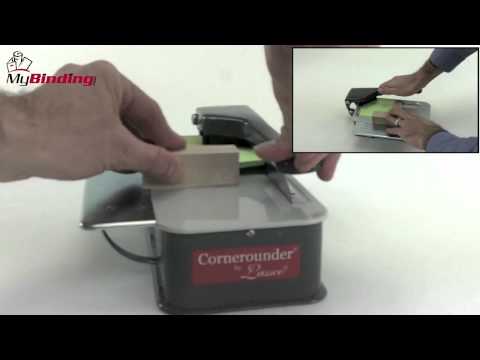
This is a standard radius die for the Lassco Cornerounder series of Corner Cutting machines. This die is compatible with the Cornerounder CR-20, CR-50B, CR-50, CR-50P, and CR-50XP. These cutting units are easy to change on the lassco equipment and can handle up to a 1/2" stack of product.
Product Details
Standard Size Radius Die for Lassco Wizer Cornerounder Corner Cutters
Compatible with Lassco Wizer CR-20, CR-50B, CR-50, CR-50P and CR-50XP Corner Rounders
Holds up to 1/2" maximum material thickness
Radius: 1/8"
Part Number: CU18
Specifications
Actual Machine Dimensions: 2"x2"x5"
Actual Machine Weight : 1 lbs
Shipping Length : 7"
Shipping Width: 4"
Shipping Height: 3"
Shipping (Web) Weight: 1 lbs
Spiral / Binding101 Part Number: 04LWCU18
Video
Lassco Wizer Cornerounder CR-20 Corner Cutter Demo Video
Transcript :
This is the Lassco Wizer Cornerounder CR-20 Corner Cutter!
When you purchase this machine you get to choose one of the four sizes, which can also be purchased separately under these product numbers.
It also comes with a right angle push block.
First place in your cutting die by lifting the handle enough to create space to insert the piece and place it into the hole correctly. Push down on the handle all the way so the piece is in fully.
Next, place the corner of your first project flush against the sides of the punch die.
If your sheets are small enough, press the corner block against the opposite corner to keep the stack aligned during the cut.
Push the handle all the way down and your first corner is finished. Rotate your project to as many times as needed.
Lift the door on the side to empty out the corner shavings. Lifting and closing it may take a bit of effort.
If you want to switch out the cutting die, pry it up from the bottom using a screwdriver. Make sure to lift the handle up as well so it can come out. Then pull it up and change it out.