The Deluxe Pull Style is Logan’s most advanced handheld mat cutter, including features developed and refined by Logan since 1974. The Deluxe Pull Style includes a marker bar system for faster marking, a pivot-and-pull blade, and an ergonomic handle. The blade slot prevents blade flex, resulting in straighter cuts. A start-and-stop indicator helps to eliminate over cuts. New ergonomic knob for comfortable operation. Can upgrade for use on the Adapt-A-Rule straight edge, Compact, Artist or Simplex board mounted mat cutting systems. Uses Logan 270 blade.
Product Details
Heavy-duty pull style cutter with pivoting blade holder.
Start and stop indicator.
Border measuring bar.
Fully upgradable to most Logan rail and board mounted systems.
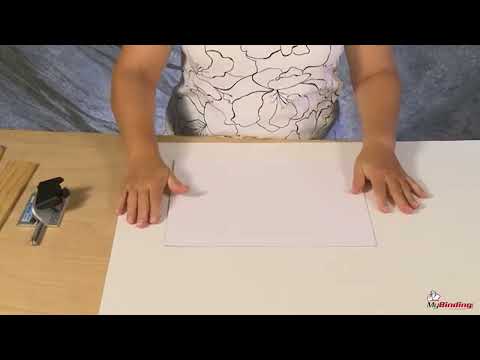
The 4000 Deluxe Pull Style Bevel Cutter features a start-and-stop indicator, a marker bar with pencil lead, and a rotating blade holder. To install a blade, first loosen the retaining screw on the back of the cutting head and rotate the blade holder all the way up. Then loosen the blade knob. Install one Logan 270 blade sharp side down into the back of the blade holder and retighten the blade knob. Rotate the blade holder down and retighten the retaining screw. To adjust the blade depth on the 4000 Deluxe Pull Style Bevel Cutter, find the blade depth adjustment screw on the bottom of the cutting head. Using a screwdriver, turn the screw clockwise to decrease the blade depth or counterclockwise to increase the blade depth. See that the blade depth is set so the blade barely passes through the mat board and only scores into your slipsheet. To bevel cut an opening using the 4000, first always use a slipsheet. You may find it easier to tape the slipsheet in place. To mark a border using the 4000 Deluxe Pull Style Cutting Head, adjust the marker bar so the scale-setting on the marker bar aligns with the edge of the mat cutting head, in this example, a 2-inch border. And retighten the marker bar in place. Using the pencil lead on the marker bar and pressure with your thumb, draw the cutting head along the outside edges of the mat board to draw the four borders. Using a suitable straight edge, align the straight edge along the pencil lines and rest the bevel cutting head against the straight edge. Align the start and stop indicator, rotate the blade end, and pull back to the near line. Always make sure to retract the blade after each cut. After the fourth cut, you will have a perfectly beveled mat.