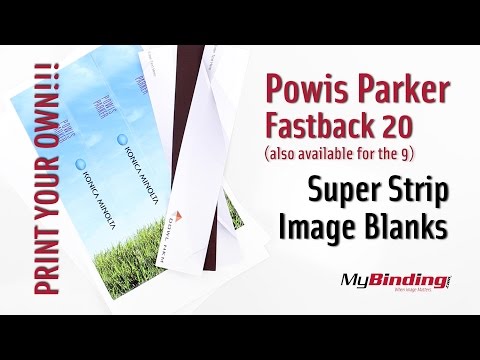
Print your own graphics and branding for a personalized touch.
Designed for documents with a capacity of 126 to 150 pages.
Durable 20 lb paper ensures a professional look and feel.
Easy application for quick and efficient binding results.
Product Description
Powis is proud to offer a new level of binding customization. Promote your brand and enhance your image to ensure that your proposal, report, or prospectus stands out in the crowd. You choose the graphics, branding, logos, and colors. Design your own spine using the Powis template as a guide, and print your designs on an inkjet printer. Add your own covers and you are all set!
Product Details
Use with an Inkjet Printer
3 strips per sheet
300 sheets per package
For use with the Fastback 20
126-150 page (1/2" to 1") capacity
11" length
Paper weight 20Lb
paper length 11"
Video
Powis Parker Fastback 20 Super Strip Images Blanks Demo Video
Transcript :
These are Powis Parker Image Blanks—available for both the Fastback 20, and the 9.
Thy come in sheets of three strips as seen here. Once you run the project through the printer they’ll come out looking more like this! Pull them off and you’re ready to bind.
The Super Strips have barcodes in the glue so the machine know what type of strip it is.
It’s important to only use Inkjet printers for these.
When your machine is on, push the directional button to access the options menu. Push over to select “Image Strip”. Push the green button to prepare the machine.
When it’s ready, insert your project into the machine…backwards. Push the bind button and insert your strip.
When it’s done, remove the project to cool, and then observe the beauty of your personalized bindings. It holds well like every other fastback strip. Also notice the larger area on the front of your project. I put this gray one in with the front as normal, and the design is more on the backside.